
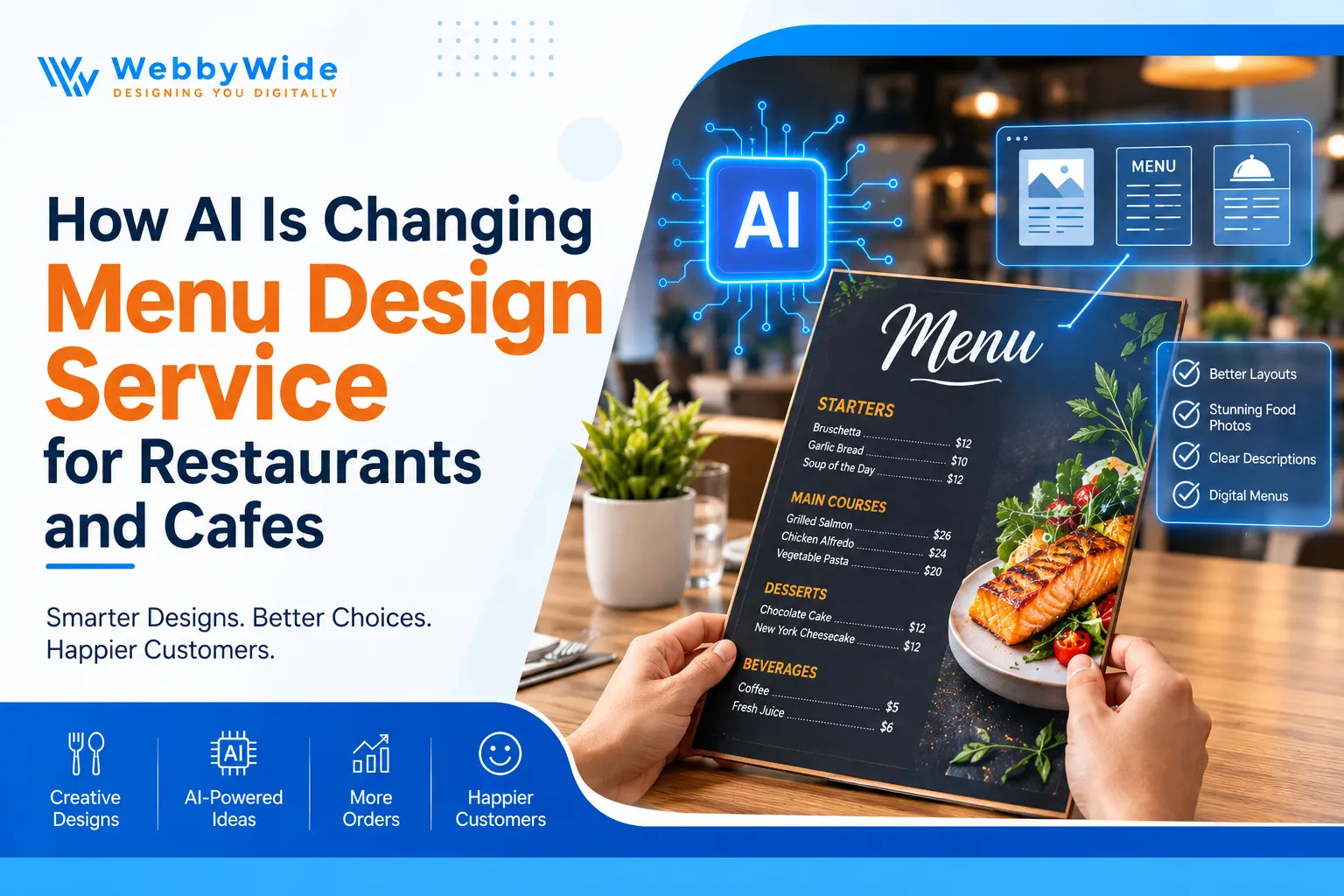
How AI Is Changing Menu Design Service for Restaurants and Cafes
A menu is something most restaurant owners look at every day, but customers may only spend a few minutes reading it. Those few minutes matter. If someone cannot find the prices, understand a dish, or spot the options they want, they may simply choose something else or ask the staff for help.
AI is starting to change the way menus are planned and designed. It can help with pictures, wording, layout ideas, and updates. That sounds useful, but it doesn't mean every restaurant should hand the whole job over to a computer. Let's look at where AI can genuinely help and what still needs a person's attention.
1. How AI Is Changing the Menu Design Service Process
Updating a menu can become a bigger job than expected. A restaurant may have changed its prices, added three new dishes, removed an old favourite, and updated its drinks list. All those changes need to appear in the right places, and the final menu still needs to look like one complete design.
AI gives designers a way to get some of the early work moving. It can suggest different ways to arrange menu sections, help prepare draft descriptions, and give the team a few visual ideas to discuss. That can be useful when the restaurant owner knows what they want to change but isn't sure how the new menu should look.
Imagine a small cafe adding a lunch menu for the first time. Its breakfast options, sandwiches, cakes, and drinks need to fit into a limited space. AI could help explore a few arrangements, but the designer must decide which one customers can actually follow.
That's where a professional Menu Design Service makes a difference. The job isn't just to make the menu look attractive. It is to understand the restaurant, organise its information, and create something that works during a busy service. AI can assist with the preparation, but it shouldn't decide everything.
2. Can AI Improve Food Photography for a Menu Design Service?
A photograph can make a customer stop and look at a dish. Think about a burger with a toasted bun, fresh lettuce, and melted cheese. A good photograph shows those details clearly. A poor one may look dark, flat, or completely different from the food served at the restaurant.
AI image tools can help designers try out different visual ideas. They might test a lighter background, change the mood of a promotional graphic, or explore how a new drinks range could be presented. This can be helpful before spending time and money on a full photography session.
But there is a line restaurants should not cross. An AI-generated image might show extra toppings, a larger portion, or ingredients that aren't part of the actual recipe. If the customer receives something different, the picture has created the wrong expectation. For actual menu items, genuine food photographs are usually the better option.
There is another detail worth checking when preparing menus for US customers. Certain restaurant chains and food businesses have calorie disclosure requirements. If those rules apply, check the FDA's menu labeling guidance rather than relying on AI to explain what information needs to appear.
3. Can Customer Data Help Improve Menu Design Service Decisions?
Restaurant owners often know their best-selling dishes without opening a report. They see what customers order, hear what people ask for, and notice which items keep coming back. But when a menu has dozens of dishes, it can be harder to spot smaller patterns.
Sales records can help fill that gap. AI tools can organise order information and highlight which dishes sell well at different times. For example, a cafe might discover that its breakfast sandwiches sell mostly before 11 a.m., while salads and cold drinks become more popular later in the day.
That information could lead to a simple menu change. The cafe might place breakfast options near the top of its morning menu and make lunch choices easier to find later. It could also review dishes that rarely sell and decide whether they need a better description, a different price, or removal.
Don't remove a dish just because its sales are low, though. It may be a customer favourite that people expect to see, or it may have a good profit margin. Data gives the owner something useful to consider; it doesn't know the full story behind every order. A Menu Design Service can help present the final choices in a clear way.
4. How AI Can Help Create a More Useful Menu Design Service Layout
Here's a simple test: give your menu to someone who has never visited your restaurant. Ask them to find a vegetarian meal, check the price of a drink, and locate the desserts. If they have to keep turning pages or asking questions, the layout probably needs attention.
AI can help designers compare different ways of arranging the information. A restaurant with a long menu might separate starters, main courses, sides, and desserts. A small takeaway business may need a different approach, with popular meals and combo offers easy to spot.
The design also needs to suit the place where customers will read it. A menu used in a dimly lit dining room needs comfortable text size and good contrast. A menu printed on one sheet has different space limits from a digital menu opened on a phone.
Before approving a layout, check the details below:
|
Design Element |
What to Check |
Why It Helps |
|
Section headings |
Are categories easy to recognise? |
Customers can find dishes faster |
|
Font size |
Can people read the text comfortably? |
Avoids unnecessary eye strain |
|
Spacing |
Is there enough room between items? |
Stops the page feeling crowded |
|
Price placement |
Can customers match prices to dishes? |
Makes comparing options easier |
|
Featured dishes |
Are important items easy to notice? |
Helps customers find signature meals |
|
Colour choices |
Do they suit the restaurant? |
Keeps the menu connected to the brand |
A Menu Design Service should get these basics right before adding decorative elements. Fancy fonts and large photographs won't help if the customer cannot quickly understand what is available.
5. Can AI Make Restaurant Menu Descriptions Easier to Write?
Some menus use descriptions that tell customers almost nothing. Others go too far in the opposite direction, using a long paragraph to explain a dish that could be described in two sentences. Neither approach is particularly helpful when someone is trying to order.
AI writing tools can give restaurant owners a starting point. Take a dish listed as "Grilled chicken sandwich". The restaurant could provide its actual ingredients and ask for a clearer description. The result might mention the toasted bread, grilled chicken, lettuce, and sauce without turning the description into a sales pitch.
This can save time when a restaurant has a large menu or needs to update several descriptions at once. It can also help keep the wording consistent. A casual burger restaurant may want short, straightforward descriptions, while a fine-dining restaurant may prefer to explain ingredients and preparation in more detail.
One thing I would never recommend is publishing AI-written descriptions without checking them. A tool might add an ingredient that isn't used or describe a dish as homemade when it isn't. The kitchen team should confirm the details. Good menu writing makes food sound appealing, but it also needs to be honest.
6. Why Digital Menus Need a Different Menu Design Service Approach
A printed menu and a mobile menu aren't the same thing. A design that looks fine on a large sheet of paper can become difficult to read on a phone. Customers may have to zoom in, scroll sideways, or search through a long image just to find a price.
That's why restaurants should plan digital menus separately. AI can help explore different versions of the same content for a website, QR code, or screen behind the counter. It can also help designers prepare draft layouts without starting each version from scratch.
Before choosing a design, think about how customers will use it. Someone scanning a QR code at the table should be able to find the food categories quickly. A customer ordering online should be able to see prices and options without opening several different pages.
Test the finished menu on more than one phone. Check the text size, image loading, links, and ordering buttons. Also consider who will update the menu when a price changes or a dish becomes unavailable. A Menu Design Service should make those future changes manageable, not leave the restaurant with a design that is difficult to edit.
7. How AI Can Help a Menu Design Service Match Your Restaurant's Brand
Picture a relaxed neighbourhood cafe with friendly staff, simple food, and a warm interior. Now imagine its menu using dark backgrounds, formal lettering, and a style that feels more suited to an expensive hotel. The food might be exactly the same, but the menu doesn't feel like part of the place.
AI can help designers explore different visual directions before settling on one. They might compare warm colours with a cleaner, more modern style or try different ways to use the restaurant's existing brand colours. This gives the owner something concrete to review instead of trying to explain a visual idea in words.
Still, a brand isn't just a logo and a few colours. The menu should reflect the type of customers the restaurant serves and the experience it wants to create. A family restaurant, coffee shop, and fine-dining venue shouldn't all end up with the same template.
Check that the menu works alongside the restaurant's signage, website, and social media pages. If the logo needs attention too, professional logo design can help create a consistent starting point. Customers should recognise the same business across all these places.
8. Which AI Tools Can Support a Menu Design Service?
Designers have several tools available, but each one has a different purpose. Some can help with written content, while others focus on images or design layouts. There is no need to use every tool on a project. It makes more sense to choose the ones that solve a real problem.
Here are some examples worth exploring:
|
AI Tool |
Main Purpose |
Possible Use in Menu Design |
|
ChatGPT |
Writing and brainstorming |
Drafting descriptions and organising menu content |
|
Adobe Firefly |
Image generation and editing |
Exploring backgrounds and visual concepts |
|
Canva AI |
Design assistance |
Preparing early menu layouts and promotional graphics |
|
Midjourney |
Visual concept generation |
Exploring mood boards and creative styles |
|
Adobe Photoshop AI features |
Image editing |
Making selected edits to approved photographs |
These tools still need someone who knows what to look for. Check whether the image represents the actual dish, whether the wording is accurate, and whether the design suits the restaurant. Before using generated assets commercially, review the relevant tool's licensing terms as well.
If you're interested in the wider changes happening in design, you can read about how AI is transforming graphic design and explore these AI tools for graphic designers. The useful question isn't which tool is most popular. It's which one will make a particular job easier.
9. How AI Can Make Seasonal Menu Design Service Updates Easier
Seasonal menus often mean working to a deadline. A cafe may want its summer drinks ready before the weather gets hot, or a restaurant may need a holiday menu prepared well before the busy period. There may also be new photographs, updated prices, and promotional graphics to organise.
AI can help with the early creative work. A restaurant planning a fall menu could explore a few colour schemes and visual styles before deciding how the seasonal dishes should be presented. The designer can then carry that look across the menu and related promotional material.
This is particularly useful when the same offer needs to appear in several places. A restaurant might need a printed menu insert, a website banner, a social media graphic, and an image for its digital screen. Having one clear design direction makes it easier to keep everything looking related.
The final checks are still the restaurant's responsibility. Confirm that the offer dates are right, the prices match, and the kitchen can prepare everything listed. A beautiful seasonal menu is no help if customers arrive to order a dish that is no longer available.
10. Why Human Experience Still Matters in a Menu Design Service
AI can produce a design idea quickly, but it doesn't know how a particular restaurant operates. It may not know that customers usually order at the counter, that the kitchen has limited preparation space, or that regular customers expect to find a certain dish in the same place every time.
A designer can ask questions about these everyday details. Who visits the restaurant most often? Which dishes should receive more attention? Does the menu need to be changed regularly? Will customers read it at a table, on a phone, or while waiting in line? The answers help shape a design that suits the business.
A second pair of eyes can also catch problems that are easy to miss during the design process. Perhaps a description takes up too much space, two prices are difficult to tell apart, or an important dish is buried near the bottom of the page. Fixing these issues can make a bigger difference than adding another visual effect.
That is why a Menu Design Service should use AI as a helper, not as the person in charge. Technology can speed up certain tasks, but the final decisions need to come from people who understand the restaurant and its customers. The menu should work in a real dining room, not just look good in a design preview.
What Should You Check Before Hiring a Menu Design Service?
Before choosing a designer, look at more than a few attractive pictures in their portfolio. Ask to see actual menu projects and consider whether the layouts are easy to read. A restaurant menu has a practical job to do, so the design should make ordering simpler.
Here are some useful questions to ask before starting:
- Have they worked on restaurant menus? Ask to see examples for cafes, restaurants, or takeaway businesses. Check how they handle both short and detailed menus.
- Can they follow your existing brand? The menu should suit your logo, colours, signage, and website rather than look like a separate business.
- Will customers find information easily? Check how the designer handles categories, dish names, descriptions, and prices.
- Can they prepare digital and print files? Ask whether the design will work on paper, mobile screens, websites, and QR code menus.
- Who checks the content? Confirm who is responsible for checking spelling, prices, ingredients, and dietary information.
- What happens when you need changes? Ask about revisions and whether future price or dish updates can be handled easily.
- Which final files will you receive? Make sure the formats suit your printer and the platforms where you plan to publish the menu.
It's also reasonable to ask how the team uses AI. It may be part of their process for early ideas or image editing. What matters is that a designer reviews the finished work and checks it against your requirements before you approve it.
Conclusion
AI has given restaurant designers more ways to work with menu layouts, images, descriptions, and digital formats. It can be useful when a restaurant has a lot of updates to make or wants to explore a few different ideas. But using AI doesn't automatically solve a menu that is confusing or difficult to read.
The finished menu still needs to make sense to the person holding it. Customers should be able to understand the dishes, find the prices, and get a fair idea of what they are ordering. If you're planning a new menu or want to improve your current one, Get in touch with our design team to discuss your requirements.
Frequently Asked Questions
AI is helping designers prepare early layouts, explore image ideas, and draft menu descriptions. It can also make it easier to adapt menus for websites and mobile screens. The final design still needs to be checked by a person to make sure the information is correct and the layout is easy to use. AI can help with the writing and visual planning, but a restaurant should not publish a menu without reviewing it. Dish names, ingredients, prices, and dietary information all need checking. A designer should also make sure the final layout fits the restaurant's brand and the way customers order. They can be useful for exploring creative ideas or preparing supporting graphics. However, a picture used to represent an actual dish should give customers a fair idea of what they will receive. If the image shows ingredients or portions that aren't served, it could create problems. Yes, it can prepare first drafts and help make descriptions shorter or easier to understand. The restaurant should provide accurate dish information and check the result before publishing. AI should not add ingredients, preparation methods, or dietary claims that haven't been confirmed. That depends on your customers and how your restaurant operates. Digital menus are easy to update and can connect with online ordering, while printed menus are straightforward to hand out. Some restaurants offer both, which lets customers choose how they prefer to browse. How AI Is Changing Menu Design Service

Comments
Add Comments
Update Comment